
Duolingo Xp Boost Disappeared: Possible Reasons


Duolingo, the popular language-learning app, has become a go-to platform for millions of users worldwide. One of its most engaging features is the XP boost, which motivates learners to complete lessons and climb leaderboards. Recently, however, many users have reported that the XP boost feature has disappeared, sparking confusion and frustration. This unexpected change has led to speculation about possible reasons behind its removal, ranging from app updates and technical glitches to strategic shifts in Duolingo’s gamification approach. In this article, we explore the potential causes of the XP boost’s disappearance and what it could mean for the future of the platform and its dedicated community of learners.
Duolingo XP Boost Disappeared: Possible Reasons
1. Expiration of the XP Boost Timer
One of the most common reasons for the disappearance of a Duolingo XP Boost is the expiration of the timer. XP Boosts are time-limited and typically last for 15 or 30 minutes, depending on the type of boost. Once the timer runs out, the boost disappears, and your XP earnings return to normal. Always check the timer to ensure you’re maximizing your boost period.
2. Completing a Lesson or Activity
Sometimes, the XP Boost may disappear after completing a lesson or activity. This happens because certain boosts are tied to specific actions, such as completing a Daily Quest or using a Streak Freeze. Once the action is completed, the boost is no longer active. Make sure to check the conditions tied to your boost to avoid confusion.
See AlsoAction Completion: 了 in Chinese Grammar3. App or Server Glitches
Technical issues can also cause the XP Boost to disappear unexpectedly. Duolingo occasionally experiences app glitches or server problems that may interrupt features like XP Boosts. If you suspect this is the case, try restarting the app or checking Duolingo’s status page for any reported outages.
4. Changes in Duolingo’s Algorithm
Duolingo frequently updates its platform, which can lead to changes in how XP Boosts are awarded or displayed. If you notice your boost has disappeared, it could be due to an update or a change in the algorithm. Keep an eye on Duolingo’s blog or announcements for any updates related to XP Boosts.
5. Account-Specific Issues
In some cases, the disappearance of an XP Boost may be related to your account. This could include issues like suspension, inactivity, or even a bug affecting your profile. If none of the above reasons apply, consider reaching out to Duolingo Support for assistance.
See AlsoLearning (or not learning) Chinese slang| Reason | Explanation |
|---|---|
| Expiration of Timer | XP Boosts are time-limited and disappear once the timer runs out. |
| Lesson Completion | Some boosts are tied to specific actions and disappear after completion. |
| App Glitches | Technical issues can cause boosts to disappear unexpectedly. |
| Algorithm Changes | Updates to Duolingo’s platform may affect how boosts are awarded. |
| Account Issues | Problems with your account may lead to the disappearance of boosts. |
Why did I lose XP on Duolingo?

Why Did I Lose XP on Duolingo Due to Inactivity?
Losing XP on Duolingo due to inactivity is a common occurrence. The platform encourages consistent learning by deducting XP if you don't maintain a regular practice schedule. Here are some reasons why this might happen:
- Streak Freeze Not Activated: If you miss a day and don't have a Streak Freeze, your streak and XP may reset or decrease.
- Long Breaks: Extended periods without logging in can result in XP loss as Duolingo prioritizes active users.
- System Updates: Occasionally, updates to the app may adjust XP calculations, leading to unexpected changes.
Why Did I Lose XP on Duolingo After Completing a Lesson?
Losing XP after completing a lesson can be confusing. This might happen due to the following reasons:
See AlsoMale and Female Names in Chinese – Spot the Difference!- Lesson Repetition: Repeating the same lesson multiple times may not always reward XP, especially if the system detects minimal progress.
- Technical Glitches: Sometimes, bugs or errors in the app can cause XP to not register correctly.
- XP Adjustments: Duolingo occasionally adjusts XP values for lessons based on difficulty or user feedback.
Why Did I Lose XP on Duolingo After a League Demotion?
League demotions can lead to XP loss as part of Duolingo's competitive system. Here’s why this happens:
- Low Activity: Failing to earn enough XP to stay in your current league can result in demotion and XP penalties.
- League Rules: Each league has specific XP thresholds, and falling below these can trigger a loss.
- Competition: Other users earning more XP can push you down the leaderboard, leading to demotion.
Why Did I Lose XP on Duolingo Due to Incorrect Answers?
Incorrect answers during lessons can impact your XP. Here’s how:
- Accuracy Penalty: Duolingo rewards accuracy, so too many mistakes can reduce the XP you earn from a lesson.
- Practice Mode: In practice sessions, incorrect answers may not contribute to XP gains.
- Lesson Restarts: Restarting a lesson due to errors can reset your progress and XP for that session.
Why Did I Lose XP on Duolingo After a Profile Update?
Profile updates or changes to your account settings can sometimes affect your XP. Here’s why:
See AlsoThe key to unlocking your first semester of Chinese- Language Switch: Changing your learning language can reset progress and XP in your previous course.
- Account Sync Issues: Syncing issues between devices can cause temporary XP discrepancies.
- Settings Adjustments: Modifying settings like daily goals or learning preferences may recalibrate your XP.
Why am I not getting XP boosts in Duolingo?
Why Am I Not Receiving XP Boosts in Duolingo?
There are several reasons why you might not be receiving XP boosts in Duolingo. XP boosts are rewards that help you earn more points during your learning sessions, and their availability depends on certain conditions. Below are some possible explanations:
- No Streak or Low Activity: XP boosts are often tied to maintaining a daily streak or being an active user. If you haven’t been consistent with your lessons, you may not qualify for boosts.
- Free vs. Super Duolingo: Some XP boosts, like the Early Bird or Night Owl chests, are exclusive to Super Duolingo subscribers. If you’re using the free version, you might not have access to these features.
- Timing Issues: XP boosts are time-sensitive. For example, the Early Bird chest is only available if you complete a lesson between 6 AM and 12 PM, while the Night Owl chest requires lessons between 6 PM and 12 AM.
Are You Completing Lessons at the Right Time?
Timing plays a crucial role in earning XP boosts. Duolingo offers specific boosts during certain hours of the day. Here’s what you need to know:
- Early Bird Chest: Available if you complete a lesson between 6 AM and 12 PM.
- Night Owl Chest: Available if you complete a lesson between 6 PM and 12 AM.
- Daily Goals: Ensure you’re meeting your daily goals consistently to unlock these boosts.
Is Your Duolingo Subscription Affecting XP Boosts?
Your subscription status can impact your access to XP boosts. Here’s how:
- Super Duolingo: Subscribers often receive additional perks, including more frequent XP boosts and access to exclusive features like Double XP.
- Free Version: Users on the free plan may have limited access to boosts and might only receive them during special events or promotions.
- Trial Periods: If you were using a free trial of Super Duolingo and it expired, you may no longer receive certain boosts.
Are You Meeting the Requirements for XP Boosts?
To earn XP boosts, you must meet specific criteria set by Duolingo. Here’s a breakdown:
- Daily Streak: Maintaining a streak of consecutive days can unlock boosts like the Streak Chest.
- Lesson Completion: Completing a certain number of lessons or reaching specific milestones may trigger boosts.
- Special Events: Participating in Duolingo events or challenges can also grant temporary XP boosts.
Could It Be a Technical Issue?
Sometimes, the lack of XP boosts might be due to technical problems. Consider the following:
- App Updates: Ensure your Duolingo app is updated to the latest version to avoid bugs or glitches.
- Account Sync: Check if your account is properly synced across devices to ensure boosts are being tracked correctly.
- Contact Support: If the issue persists, reach out to Duolingo’s support team for assistance.
Where did my double XP go in Duolingo?

Why Did My Double XP Disappear in Duolingo?
Your Double XP may have disappeared in Duolingo due to several reasons. Here are the most common causes:
- Expiration: Double XP boosts are often time-limited and may expire after a certain period, such as 15 or 30 minutes.
- Completion of a Streak or Challenge: Some Double XP boosts are tied to completing streaks or challenges, and once the condition is met, the boost ends.
- App Glitch: Occasionally, technical issues or bugs in the app can cause Double XP to disappear unexpectedly.
How to Check If You Still Have Double XP in Duolingo
To verify if you still have Double XP active, follow these steps:
- Open the Duolingo app and navigate to the home screen.
- Look for the XP Boost icon (a flame or timer) near your profile or progress bar.
- If the icon is missing, your Double XP has likely expired or been used.
How to Earn Double XP in Duolingo Again
If your Double XP has disappeared, you can regain it by following these methods:
- Complete a Streak: Maintaining a daily streak often rewards you with Double XP boosts.
- Participate in Challenges: Some challenges, like the Friend Quest, offer Double XP as a reward.
- Use Gems: In some versions of the app, you can purchase Double XP boosts using gems.
Common Issues with Double XP in Duolingo
Users often encounter problems with Double XP in Duolingo. Here are some frequent issues:
- Unexpected Expiration: The boost may end abruptly due to app updates or server issues.
- Inconsistent Activation: Sometimes, Double XP may not activate even after meeting the requirements.
- Missing Rewards: Rewards for streaks or challenges may not appear as expected.
How to Contact Duolingo Support for Double XP Issues
If you believe your Double XP disappeared due to a technical issue, you can contact Duolingo support:
- Go to the Duolingo Help Center on their official website.
- Submit a detailed report explaining the issue with your Double XP.
- Include screenshots or evidence to help the support team resolve the problem faster.
Why did Duolingo remove my progress?
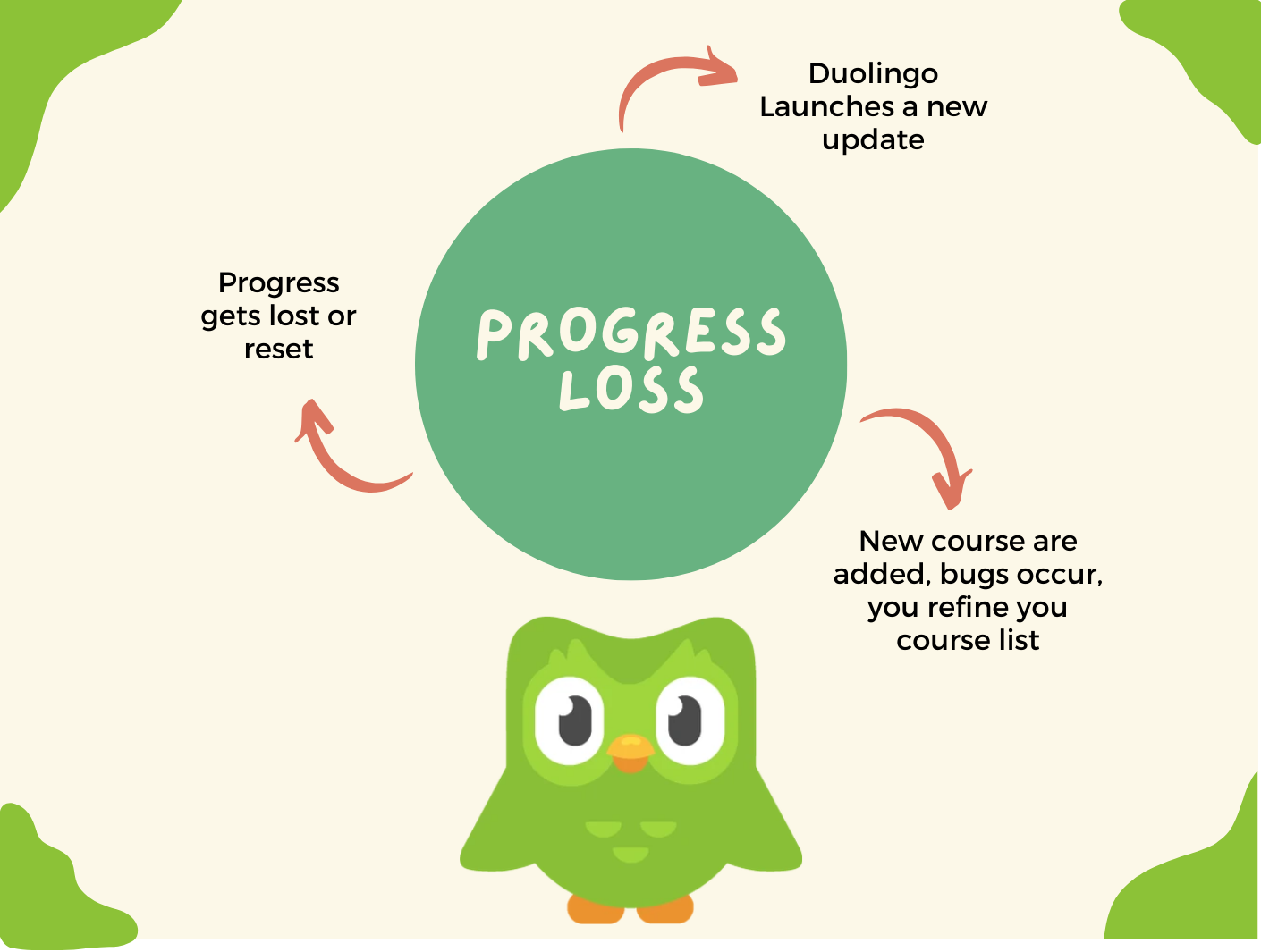
Why Did Duolingo Remove My Progress?
Duolingo may remove your progress for several reasons, including technical issues, account-related problems, or updates to the platform. Below are some possible explanations:
- Technical Glitches: Sometimes, bugs or errors in the app can cause progress to disappear temporarily.
- Account Sync Issues: If your account is not properly synced across devices, your progress might not be saved correctly.
- Course Updates: Duolingo frequently updates its courses, which can reset or alter your progress in certain lessons.
How Can Technical Glitches Affect My Progress?
Technical glitches are a common cause of progress loss on Duolingo. Here’s how they can impact your experience:
- App Crashes: If the app crashes during a lesson, your progress might not be saved.
- Server Errors: Issues on Duolingo’s servers can lead to data not being recorded properly.
- Cache Problems: Corrupted cache files on your device can interfere with progress tracking.
What Role Do Account Sync Issues Play?
Account sync issues can disrupt your progress if your data isn’t properly saved or transferred. Consider the following:
- Multiple Devices: Using Duolingo on multiple devices without proper sync can lead to inconsistencies.
- Login Errors: Logging in with different accounts or credentials can cause progress to appear lost.
- Offline Mode: Progress made offline might not sync correctly when you reconnect to the internet.
How Do Course Updates Impact My Progress?
Duolingo frequently updates its courses to improve content, which can sometimes reset or alter your progress. Here’s how:
- Content Overhaul: Major updates may reset lessons to align with new material.
- Skill Adjustments: Skills might be reorganized, causing progress to appear different.
- New Features: The introduction of new features can sometimes affect how progress is displayed.
What Can I Do to Prevent Progress Loss?
To minimize the risk of losing progress on Duolingo, follow these steps:
- Regular Syncing: Ensure your account is synced across all devices.
- Stay Updated: Keep the app updated to the latest version to avoid bugs.
- Contact Support: If progress is lost, reach out to Duolingo’s support team for assistance.
Frequently Asked Questions From our Community
Why did my Duolingo XP boost suddenly disappear?
Your Duolingo XP boost might have disappeared due to several reasons. One common cause is that the boost has expired. XP boosts are typically time-limited, often lasting for 15 or 30 minutes, and once the time runs out, the boost disappears. Another possibility is that you might have logged out of your account or switched devices, which can sometimes cause the boost to reset. Additionally, if Duolingo's servers experience technical issues, this could temporarily affect the availability of your XP boost.
Can I get my Duolingo XP boost back after it disappears?
In most cases, you can regain your Duolingo XP boost by completing certain actions within the app. For example, maintaining a daily streak or completing specific challenges often rewards you with another XP boost. If the boost disappeared due to a technical glitch, try restarting the app or logging back into your account. However, if the boost was part of a limited-time promotion or event, it may not be possible to get it back once it's gone.
Does Duolingo remove XP boosts during updates?
Yes, Duolingo occasionally removes or modifies features, including XP boosts, during app updates. If you notice your XP boost has disappeared after an update, it could be due to changes in the app's reward system or policies. Duolingo frequently experiments with new features and may temporarily disable or alter XP boosts as part of these updates. Checking the release notes or community forums can provide more information about recent changes.
Is there a way to prevent my Duolingo XP boost from disappearing?
While you can't completely prevent an XP boost from disappearing, you can take steps to maximize its usage. Make sure to use the boost immediately after earning it, as they are often time-sensitive. Avoid logging out or switching devices while the boost is active, as this can cause it to reset. Additionally, staying updated on Duolingo's feature changes and maintaining a stable internet connection can help minimize the chances of losing your boost unexpectedly.
Leave a Reply
Related Posts