
How to redeem a Duolingo gift code: Simple Steps to Follow


Learning a new language has never been easier, thanks to platforms like Duolingo. If you’ve received a Duolingo gift code, you’re one step closer to unlocking premium features and enhancing your language-learning journey. Redeeming your gift code is a straightforward process, but it’s important to follow the correct steps to ensure a seamless experience. Whether you’re a beginner or a seasoned learner, this guide will walk you through the simple steps to redeem your Duolingo gift code. From accessing your account to applying the code, you’ll be ready to explore all the benefits of Duolingo Plus in no time.
How to Redeem a Duolingo Gift Code: Simple Steps to Follow
What is a Duolingo Gift Code?
A Duolingo Gift Code is a unique code that allows users to access premium features on the Duolingo platform without needing to pay directly. These codes are often given as gifts or rewards and can be redeemed for Duolingo Super or Duolingo Plus subscriptions, which offer benefits like ad-free learning, offline access, and unlimited hearts.
Where Can You Get a Duolingo Gift Code?
Duolingo Gift Codes can be obtained through various means, such as:
- Purchasing them directly from the Duolingo website or authorized retailers.
- Receiving them as gifts from friends or family.
- Winning them through promotions or contests hosted by Duolingo or its partners.
How to Redeem a Duolingo Gift Code on the Website
To redeem a Duolingo Gift Code on the website, follow these steps:
1. Log in to your Duolingo account on the official website.
2. Navigate to the Shop section.
3. Click on Redeem a Gift.
4. Enter your gift code in the provided field.
5. Click Redeem to activate your premium features.
How to Redeem a Duolingo Gift Code on the Mobile App
If you prefer using the mobile app, here’s how to redeem your code:
1. Open the Duolingo app on your device.
2. Tap on the profile icon in the top-left corner.
3. Go to the Shop tab.
4. Select Redeem a Gift.
5. Enter your gift code and tap Redeem.
What to Do If Your Duolingo Gift Code Doesn’t Work
If your Duolingo Gift Code isn’t working, consider the following:
- Ensure the code is entered correctly without spaces or typos.
- Check if the code has expired or has already been used.
- Contact Duolingo Support for assistance if the issue persists.
| Step | Action |
|---|---|
| 1 | Log in to your Duolingo account. |
| 2 | Navigate to the Shop section. |
| 3 | Click on Redeem a Gift. |
| 4 | Enter your gift code. |
| 5 | Click Redeem. |
Where to apply promo code in Duolingo?

How to Apply a Promo Code in Duolingo
To apply a promo code in Duolingo, follow these steps:
- Open the Duolingo app or visit the Duolingo website.
- Log in to your account or create one if you don’t have an account yet.
- Navigate to the subscription or payment section, usually found in the settings or profile menu.
- Look for an option labeled Redeem Promo Code or something similar.
- Enter the promo code in the provided field and confirm to apply it.
Where to Find the Promo Code Field in Duolingo
The promo code field is typically located in the following areas:
See AlsoHow to learn Zhuyin (Bopomofo) in two hours- In the payment settings when upgrading to Duolingo Plus or Super.
- During the checkout process for a subscription or purchase.
- In the profile or account settings under a section for promotions or discounts.
Steps to Redeem a Promo Code on Duolingo’s Website
To redeem a promo code on Duolingo’s website, follow these steps:
- Visit the Duolingo website and log in to your account.
- Go to the subscription page or the payment section.
- Click on the option to upgrade to Duolingo Plus or Super.
- Look for a field labeled Enter Promo Code or similar.
- Input your promo code and proceed with the payment process.
Using Promo Codes in the Duolingo Mobile App
If you’re using the Duolingo mobile app, here’s how to apply a promo code:
- Open the Duolingo app on your device.
- Tap on the profile icon to access your account settings.
- Navigate to the subscription or payment section.
- Find the promo code field and enter your code.
- Confirm the code to apply the discount or offer.
Common Issues When Applying Promo Codes in Duolingo
If you encounter issues while applying a promo code, consider the following:
See AlsoHow to use mnemonics to learn Mandarin tones and pronunciation- Ensure the promo code is valid and hasn’t expired.
- Check if the code is applicable to your region or subscription type.
- Make sure you’re entering the code in the correct field during the payment process.
- Contact Duolingo support if the code still doesn’t work.
Why do none of the Duolingo promo codes work?
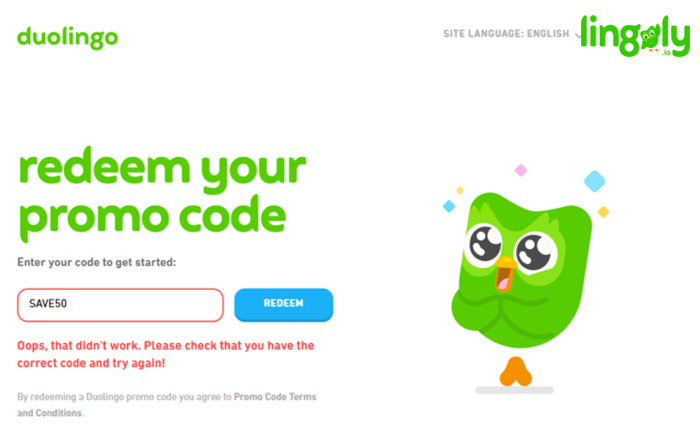
Why Do Duolingo Promo Codes Expire Quickly?
Duolingo promo codes often have a limited validity period, which means they expire after a certain date or once a specific number of users have redeemed them. This is done to:
- Encourage immediate action from users to take advantage of the offer.
- Control marketing budgets by limiting the number of redemptions.
- Prevent misuse of codes by ensuring they are used within a specific timeframe.
Are Duolingo Promo Codes Region-Specific?
Many Duolingo promo codes are region-specific, meaning they are only valid for users in certain countries or regions. This can happen because:
See AlsoLoanwords in Chinese- Marketing campaigns are tailored to specific markets.
- Legal or regulatory restrictions may apply in certain areas.
- Currency differences make it difficult to offer universal codes.
Do Duolingo Promo Codes Have Usage Limits?
Yes, Duolingo promo codes often come with usage limits. These limits are set to:
- Prevent overuse of the codes by a small group of users.
- Ensure fair distribution of discounts or benefits.
- Maintain profitability by controlling the number of redemptions.
Are Duolingo Promo Codes Case-Sensitive?
Some Duolingo promo codes are case-sensitive, which means they must be entered exactly as provided. Common reasons for this include:
- Technical limitations in the code redemption system.
- Security measures to prevent automated misuse.
- Standardization of promotional campaigns.
Can Duolingo Promo Codes Be Reused?
Most Duolingo promo codes are single-use and cannot be reused. This is because:
- Fairness is ensured by allowing only one redemption per user.
- Preventing abuse of the promotional system.
- Maintaining exclusivity of the offer for new or targeted users.
Frequently Asked Questions From our Community
How do I find my Duolingo gift code?
To find your Duolingo gift code, check the email or message where the code was sent to you. If you received a physical card, the code is usually located on the back, often under a scratch-off layer. Ensure you keep the code safe and avoid sharing it publicly to prevent unauthorized use.
Where do I enter the Duolingo gift code?
To redeem your Duolingo gift code, log in to your Duolingo account on the website or app. Navigate to the Settings or Subscription section, and look for an option labeled Redeem a Gift Code or something similar. Enter the code exactly as it appears, including any hyphens or special characters.
What should I do if my Duolingo gift code doesn’t work?
If your Duolingo gift code isn’t working, double-check that you’ve entered it correctly, paying attention to uppercase and lowercase letters. If the issue persists, ensure the code hasn’t expired or been used already. If problems continue, contact Duolingo Support with the code details for further assistance.
Can I use a Duolingo gift code on multiple accounts?
No, a Duolingo gift code can only be used once and is tied to a single account. Once redeemed, the code is no longer valid for use on any other account. Make sure to apply it to the account where you want to activate the subscription or benefits.
Leave a Reply
Related Posts