
How To Go Back To Previous Lessons On Duolingo?


Duolingo has become a popular platform for language learners worldwide, offering a structured and engaging way to master new skills. However, as users progress through lessons, they may find themselves wanting to revisit previous material for review or clarification. Whether you need to reinforce your understanding, practice forgotten vocabulary, or simply refresh your memory, knowing how to navigate back to earlier lessons is essential. This guide will walk you through the steps to access previous lessons on Duolingo, ensuring you can easily revisit content and strengthen your language-learning journey. Let’s explore how to make the most of this feature and keep your progress on track.
How To Go Back To Previous Lessons On Duolingo?
1. Accessing the Course Tree
To revisit previous lessons on Duolingo, start by accessing the course tree. This is the main interface where all your lessons are organized. Simply open the Duolingo app or website, and you'll see the tree structure displaying your progress. Scroll through the tree to locate the lesson you want to revisit.
2. Using the Practice Feature
Duolingo offers a Practice feature that allows you to review past lessons. Tap on the dumbbell icon (on mobile) or the Practice button (on desktop) to access this feature. This will generate a mix of exercises from previous lessons, helping you reinforce your learning.
See AlsoHow a School Trip to China Can Help Students Learn Mandarin3. Revisiting Specific Skills
If you want to go back to a specific skill or lesson, click on the skill bubble in the course tree. Each bubble represents a skill, and tapping it will show the lessons within that skill. You can then select and redo any lesson you’ve completed.
4. Utilizing the Strengthen Skills Option
The Strengthen Skills option is another way to revisit previous lessons. This feature focuses on reinforcing weaker skills and revisiting older content. You can find it on the main screen, and it’s a great way to ensure you retain what you’ve learned.
5. Checking Your Progress in the Profile Section
Your profile section provides a detailed overview of your progress. Here, you can see which lessons you’ve completed and how well you’ve performed. Use this section to identify areas where you might need more practice and revisit those lessons accordingly.
See AlsoBrand Failure in China: What Brands Do Wrong| Feature | How It Helps |
|---|---|
| Course Tree | Navigate through all lessons and skills. |
| Practice Feature | Review mixed exercises from past lessons. |
| Skill Bubbles | Access specific lessons within a skill. |
| Strengthen Skills | Focus on reinforcing weaker areas. |
| Profile Section | Track progress and identify areas for review. |
How do I see previous lessons on Duolingo?

How to Access Previous Lessons on Duolingo
To view your previous lessons on Duolingo, follow these steps:
- Open the Duolingo app or website and log in to your account.
- Navigate to the course or language you are studying.
- Scroll through the course tree to find the lesson you want to revisit.
- Click or tap on the specific lesson to start reviewing it.
Using the Practice Feature to Review Lessons
Duolingo offers a Practice feature that allows you to revisit previous lessons. Here’s how to use it:
See AlsoWhy flashcards are terrible for learning Chinese- Go to the Practice Hub on the app or website.
- Select the skill or lesson you want to review.
- Complete the practice exercises to reinforce your learning.
The course tree is a visual representation of your progress. To find past lessons:
- Locate the course tree on your Duolingo dashboard.
- Scroll through the completed lessons, which are marked with a golden crown.
- Click on any completed lesson to redo it.
Reviewing Completed Skills
Completed skills can be reviewed to strengthen your knowledge. Here’s how:
- Find the completed skills in your course tree.
- Click on the skill to see the lesson options.
- Select the lesson you want to review and start practicing.
Using the Strengthen Skills Option
The Strengthen Skills feature helps you revisit old lessons. Follow these steps:
See AlsoTravelling and Getting Scammed in Harbin- Click on the dumbbell icon in the app or website.
- Duolingo will generate a mix of previous lessons for you to practice.
- Complete the exercises to reinforce your learning.
Can you go back to the beginning on Duolingo?
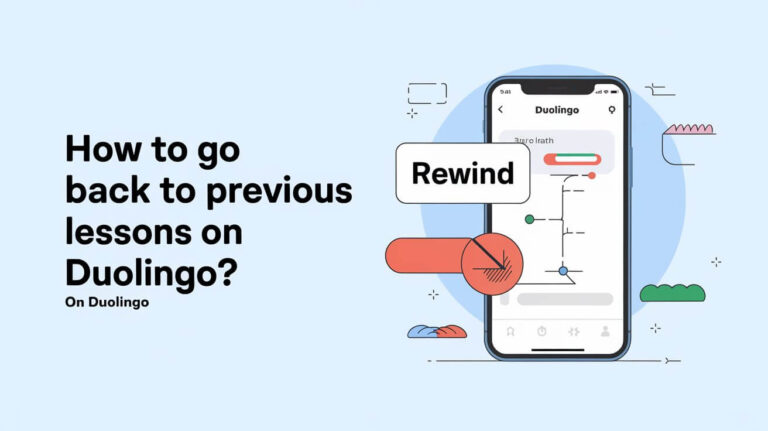
How to Restart a Course on Duolingo
If you want to go back to the beginning of a course on Duolingo, you can reset your progress. This will allow you to start the course from scratch. Here’s how you can do it:
- Open the Duolingo app or website and log in to your account.
- Navigate to the course you want to restart.
- Click on the settings icon (gear icon) next to the course.
- Select the option to reset or remove progress.
- Confirm your choice, and your progress will be reset to the beginning.
Does Resetting Duolingo Delete All Progress?
Resetting a course on Duolingo only affects the specific course you choose. Here’s what happens when you reset:
See AlsoHow Duolingo Use Ai: Making Language Learning Smarter- Your progress in the selected course is erased.
- Your streaks, achievements, and progress in other courses remain unchanged.
- You will need to retake all lessons and tests in the reset course.
Why Would Someone Restart a Duolingo Course?
There are several reasons why someone might want to restart a course on Duolingo:
- To refresh their memory on the basics of a language.
- If they feel they didn’t fully grasp the earlier lessons.
- To practice and reinforce their skills from the beginning.
- If they took a long break and want to start over.
Can You Reset Individual Skills on Duolingo?
Yes, you can reset individual skills without restarting the entire course. Here’s how:
- Go to the skill you want to reset on the Duolingo tree.
- Click on the practice button (barbell icon).
- Select the option to reset the skill.
- This will make the skill appear as incomplete, allowing you to redo it.
What Happens to Your Streak When You Reset a Course?
Resetting a course on Duolingo does not affect your streak. Here’s what you need to know:
- Your streak is tied to daily activity, not course progress.
- As long as you complete a lesson or practice session daily, your streak remains intact.
- Resetting a course only impacts the specific course’s progress, not your overall account activity.
Can I go back to old version of Duolingo?

Is it possible to revert to the old version of Duolingo?
Unfortunately, reverting to the old version of Duolingo is not officially supported by the platform. Duolingo frequently updates its app and website to introduce new features, improve user experience, and fix bugs. Once an update is rolled out, the previous version is typically no longer accessible. However, there are a few potential workarounds:
- Check for legacy versions: Some users have reported success by downloading older APK files for Android devices, though this is not recommended due to security risks.
- Use the web version: The web version of Duolingo sometimes retains older features longer than the app, but this is not guaranteed.
- Contact Duolingo support: While unlikely, you can reach out to Duolingo's support team to inquire about accessing older versions, though they may not accommodate such requests.
Why did Duolingo remove the old version?
Duolingo removed the old version to streamline its platform and focus on delivering a more consistent experience across devices. The decision was likely driven by several factors:
- Improved functionality: New updates often include enhanced features, such as better gamification, improved lesson structures, and advanced tracking tools.
- User feedback: Duolingo frequently incorporates user feedback to refine its platform, which may lead to the removal of outdated features.
- Technical limitations: Maintaining multiple versions of the app can be resource-intensive and may lead to compatibility issues.
Are there any risks in trying to revert to the old version?
Attempting to revert to the old version of Duolingo can pose several risks, especially if unofficial methods are used:
- Security vulnerabilities: Downloading APK files from untrusted sources can expose your device to malware or data breaches.
- Compatibility issues: Older versions may not work properly on updated operating systems or devices.
- Loss of data: Reverting to an older version could result in syncing issues, potentially causing you to lose progress or account data.
What alternatives exist if I don’t like the new version?
If you are dissatisfied with the new version of Duolingo, there are several alternatives you can explore:
- Other language learning apps: Apps like Babbel, Rosetta Stone, or Memrise offer different approaches to language learning.
- Community forums: Engage with Duolingo's community forums to share feedback and learn how others are adapting to the changes.
- Custom learning plans: Create your own study plan using resources like textbooks, podcasts, or language exchange platforms.
Can I provide feedback to Duolingo about the new version?
Yes, you can provide feedback to Duolingo about the new version through the following methods:
- In-app feedback: Use the feedback option within the app to share your thoughts directly with the Duolingo team.
- Social media: Reach out to Duolingo on platforms like Twitter or Facebook to express your opinions.
- Support tickets: Submit a support ticket through Duolingo's help center to provide detailed feedback or suggestions.
Can I see my Duolingo history?
How to Access Your Duolingo History
To view your Duolingo history, follow these steps:
- Open the Duolingo app or visit the Duolingo website.
- Log in to your account using your credentials.
- Navigate to your profile by clicking on your profile picture or name.
- Look for the Activity or History section, where you can see your progress, completed lessons, and streaks.
What Information Does Duolingo History Include?
Your Duolingo history provides a detailed overview of your learning journey:
- Completed lessons: A list of all the lessons you have finished.
- Streaks: Information about your daily streaks and how many days in a row you have practiced.
- XP earned: The total experience points you have accumulated over time.
- Skill levels: The progress you have made in each language skill.
Can You Export Your Duolingo History?
Currently, Duolingo does not offer a direct way to export your history. However, you can:
- Take screenshots of your progress and history.
- Use third-party tools or scripts (if available) to extract data, though this is not officially supported.
- Manually track your progress in a separate document for personal records.
Why Is Duolingo History Important?
Your Duolingo history is a valuable tool for tracking your language learning progress:
- It helps you identify strengths and weaknesses in your learning.
- It motivates you by showing your achievements and streaks.
- It allows you to set goals based on past performance.
Can You See Duolingo History on All Devices?
Yes, your Duolingo history is synced across all devices where you are logged in:
- Access your history on the Duolingo mobile app (iOS or Android).
- View it on the Duolingo website using a browser.
- Ensure you are logged in to the same account on all devices for consistent data.
Frequently Asked Questions From our Community
How can I revisit previous lessons on Duolingo?
To revisit previous lessons on Duolingo, you can scroll through the skill tree and locate the lesson you want to review. Each skill is represented by a circle or icon, and clicking on it will allow you to access the lessons within that skill. If the skill is already completed, you can click the Practice button to redo the lessons and reinforce your learning.
Is there a way to go back to a specific lesson without restarting the entire skill?
Unfortunately, Duolingo does not currently allow users to return to a specific lesson within a skill without practicing the entire skill again. However, you can use the Practice feature to revisit the content of that skill, which will include a mix of previous lessons and new challenges to help reinforce your knowledge.
Can I track my progress when revisiting old lessons on Duolingo?
Yes, Duolingo tracks your progress even when you revisit old lessons. The platform uses a spaced repetition system to determine which questions or concepts you need to review more frequently. By practicing previous lessons, you strengthen your memory and improve your overall progress in the language.
Does Duolingo offer a feature to bookmark or save lessons for later review?
Duolingo does not have a specific bookmarking feature for individual lessons. However, you can mark skills as favorite by tapping the heart icon on the skill tree. This makes it easier to locate and revisit those skills later. Additionally, the Practice feature allows you to focus on weaker areas, ensuring you review the lessons that need the most attention.
Leave a Reply
Related Posts