
Duolingo Missing Streak: Reasons and How to Fix It


Maintaining a Duolingo streak is a source of pride for many language learners, symbolizing dedication and consistency. However, encountering a missing streak can be frustrating and demotivating. Whether due to technical glitches, time zone changes, or simple oversight, losing a streak can disrupt your learning momentum. Understanding the common reasons behind this issue is the first step toward resolving it. This article explores the potential causes of a missing Duolingo streak and provides practical solutions to help you restore it. By addressing these challenges, you can continue your language-learning journey with confidence and avoid future setbacks.
Duolingo Missing Streak: Reasons and How to Fix It
What is a Duolingo Streak?
A Duolingo streak refers to the number of consecutive days a user has completed at least one lesson on the platform. It serves as a motivational tool, encouraging consistent language learning. Maintaining a streak can be rewarding, as it unlocks achievements and boosts confidence in your progress.
Common Reasons for Missing a Duolingo Streak
There are several reasons why users might lose their Duolingo streak:
- Forgetting to log in: Busy schedules or distractions can cause users to miss a day.
- Technical issues: App crashes or server problems can prevent access.
- Time zone changes: Traveling across time zones might confuse the app's tracking system.
- Incomplete lessons: Starting but not finishing a lesson can break the streak.
How to Prevent Losing Your Duolingo Streak
To avoid losing your Duolingo streak, consider these tips:
- Set daily reminders: Use alarms or notifications to remind you to practice.
- Enable streak freezes: Purchase or earn streak freezes to protect your streak if you miss a day.
- Complete lessons early: Finish your daily lesson in the morning to avoid last-minute issues.
- Check your time zone: Ensure your app reflects your current time zone.
How to Restore a Lost Duolingo Streak
If you’ve already lost your Duolingo streak, you can try the following:
- Use streak repair: Duolingo occasionally offers a one-time streak repair feature.
- Contact support: Reach out to Duolingo’s customer service for assistance.
- Start fresh: Accept the loss and focus on building a new streak.
Benefits of Maintaining a Duolingo Streak
Maintaining a Duolingo streak offers several advantages:
- Consistency: Regular practice improves language retention.
- Motivation: Streaks encourage daily engagement with the app.
- Achievements: Unlock badges and rewards for maintaining streaks.
- Progress tracking: Streaks help you visualize your commitment to learning.
| Reason | Solution |
|---|---|
| Forgetting to log in | Set daily reminders |
| Technical issues | Check app updates or reinstall |
| Time zone changes | Adjust app settings |
| Incomplete lessons | Ensure lessons are fully completed |
Why did my streak disappear on Duolingo?

Why Did My Streak Disappear Due to Inactivity?
Your streak on Duolingo may disappear if you fail to maintain daily activity. The platform requires consistent engagement to keep your streak alive. Here are some reasons why inactivity might have caused your streak to vanish:
- Missed Daily Practice: If you skip a day without completing a lesson, your streak resets to zero.
- Time Zone Changes: Traveling across time zones can confuse the app's tracking system, leading to a lost streak.
- App Glitches: Occasionally, technical issues might prevent the app from registering your progress.
Did a Streak Freeze Fail to Protect Your Streak?
Duolingo offers a feature called Streak Freeze to help users maintain their streaks even if they miss a day. However, there are scenarios where this feature might not work:
See Also1000 Day Duolingo Streak: Strategies and Benefits- Expired Streak Freeze: If you didn’t have an active Streak Freeze when you missed a day, your streak would reset.
- Multiple Missed Days: Streak Freeze only protects you for one missed day. Missing multiple days will still break your streak.
- Insufficient Gems: If you didn’t have enough gems to purchase a Streak Freeze, it wouldn’t activate.
Could a Technical Issue Have Caused the Streak Loss?
Technical glitches or bugs in the Duolingo app can sometimes lead to unexpected streak losses. Here are some possibilities:
- App Updates: A recent update might have caused a temporary bug affecting streak tracking.
- Server Errors: Duolingo’s servers might have experienced downtime, preventing your progress from being saved.
- Device Compatibility: Issues with your device’s operating system or app version could interfere with streak tracking.
Did You Switch Devices or Accounts?
Switching devices or accounts can sometimes disrupt your streak. Here’s how:
- Different Accounts: If you logged into a different Duolingo account, your streak wouldn’t carry over.
- Device Syncing Issues: If your progress didn’t sync properly between devices, your streak might not update correctly.
- Account Linking Problems: If you didn’t link your account properly, your streak data might not transfer.
Was Your Streak Lost Due to a Policy Change?
Duolingo occasionally updates its policies, which might affect your streak. Consider the following:
See AlsoChinese listening strategies: Passive listening- Streak Reset Policy: Duolingo might reset streaks for users who violate community guidelines or terms of service.
- Feature Changes: Updates to how streaks are calculated or maintained could impact your streak.
- Account Verification: If your account was flagged for suspicious activity, your streak might have been reset as part of a security measure.
How do I fix my Duolingo glitch?

Check Your Internet Connection
One of the most common reasons for Duolingo glitches is a poor or unstable internet connection. To fix this:
- Restart your router or modem to refresh the connection.
- Switch to a different network (e.g., mobile data) to see if the issue persists.
- Ensure your device is within range of a strong Wi-Fi signal.
Update the Duolingo App
Using an outdated version of the Duolingo app can cause glitches. To resolve this:
See AlsoWhy manually adding and editing flashcards is good for you- Go to your device's app store (Google Play Store or Apple App Store).
- Search for Duolingo and check if an update is available.
- If an update is available, click Update to install the latest version.
Clear Cache and Data
Accumulated cache and data can lead to app malfunctions. To clear them:
- Open your device's Settings and navigate to Apps or Application Manager.
- Find and select Duolingo from the list of apps.
- Tap on Clear Cache and Clear Data to remove stored files.
Reinstall the Duolingo App
If the glitch persists, reinstalling the app can help resolve deeper issues. Follow these steps:
- Uninstall Duolingo from your device.
- Restart your device to ensure all residual files are removed.
- Reinstall Duolingo from your app store and log in to your account.
Contact Duolingo Support
If none of the above solutions work, reaching out to Duolingo's support team is the next step. Here's how:
- Visit the Duolingo Help Center on their official website.
- Submit a detailed report of the issue, including screenshots if possible.
- Wait for a response from their support team for further assistance.
Can you lose your streak on Duolingo?
What is a Duolingo streak?
A Duolingo streak refers to the number of consecutive days a user has completed at least one lesson on the platform. It is a motivational tool designed to encourage consistent learning habits. The streak is displayed prominently on the user's profile and serves as a measure of their dedication to language learning.
- Daily Practice: To maintain a streak, users must complete at least one lesson every day.
- Visual Indicator: The streak is represented by a flame icon, which grows with each consecutive day.
- Motivation: Streaks help users stay committed by providing a sense of accomplishment.
Can you lose your Duolingo streak?
Yes, you can lose your Duolingo streak if you fail to complete a lesson within a 24-hour period. The streak resets to zero if you miss a day, and you will need to start building it again from scratch.
- Time Zone Consideration: The streak is based on your local time zone, so ensure you complete a lesson before midnight.
- Streak Freeze: Duolingo offers a feature called Streak Freeze, which can be purchased with gems or Duolingo Plus to protect your streak for one missed day.
- No Extensions: If you miss a day without a Streak Freeze, your streak will be lost permanently.
How does Streak Freeze work?
Streak Freeze is a feature that allows users to maintain their streak even if they miss a day of practice. It acts as a safety net, preventing the streak from resetting due to a single missed day.
- Activation: Streak Freeze is automatically applied if you have it in your inventory and miss a day.
- Cost: It can be purchased using gems or is included in the Duolingo Plus subscription.
- Limitations: Streak Freeze only works for one missed day at a time. Multiple missed days will still result in losing the streak.
What happens if you lose your streak?
Losing your Duolingo streak can be disappointing, but it does not affect your overall progress or learning. The streak is purely a motivational tool and does not impact the lessons or skills you have already mastered.
- Reset to Zero: Your streak counter will reset to zero, and you will need to start over.
- No Data Loss: All your completed lessons, XP, and achievements remain intact.
- Motivational Impact: Losing a streak might temporarily reduce motivation, but it can also serve as a reminder to stay consistent.
Tips to maintain your Duolingo streak
Maintaining a Duolingo streak requires consistency and planning. Here are some tips to help you keep your streak alive:
- Set Reminders: Use phone alarms or notifications to remind yourself to complete a lesson daily.
- Short Sessions: Even a quick 5-minute lesson counts toward maintaining your streak.
- Use Streak Freeze: Always keep a Streak Freeze active as a backup for unexpected busy days.
Why is Duolingo not counting my streak?
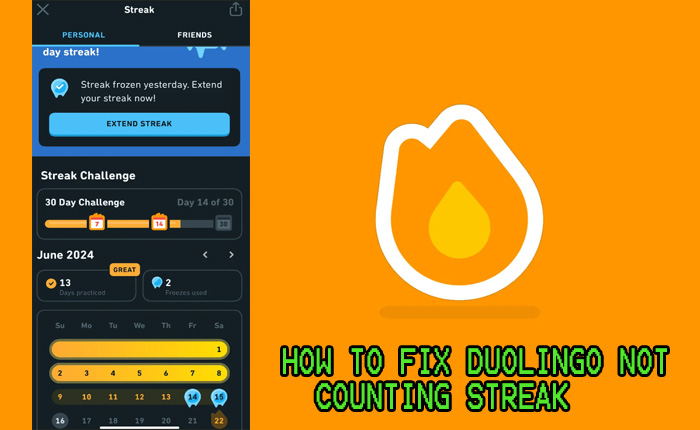
If Duolingo is not counting your streak, it could be due to several reasons. Below are some common causes and solutions:
- Time Zone Issues: Duolingo uses your device's time zone to track streaks. If your device's time zone is incorrect, the app may not recognize your activity for the day.
- Server Delays: Sometimes, Duolingo's servers may experience delays in updating your streak. This is usually temporary and resolves on its own.
- Incomplete Lessons: Ensure you complete at least one full lesson or activity. Partial progress may not count toward your streak.
- App Glitches: Bugs or glitches in the app can cause streaks to not update. Try restarting the app or reinstalling it to resolve the issue.
- Streak Freeze: If you missed a day and have a Streak Freeze activated, your streak should remain intact. However, if the Streak Freeze didn't work, contact Duolingo support.
How does Duolingo track streaks?
Duolingo tracks streaks based on your daily activity and the time zone set on your device. Here’s how it works:
- Daily Completion: You must complete at least one lesson or activity each day to maintain your streak.
- Time Zone Sync: The app uses your device's time zone to determine when a new day starts. If the time zone is incorrect, your streak may not update properly.
- Server Updates: Duolingo's servers sync your progress and update your streak accordingly. Delays can occur due to server issues.
What should I do if my streak is not updating?
If your streak is not updating, follow these steps to troubleshoot the issue:
- Check Time Zone: Verify that your device's time zone matches your current location.
- Complete a Lesson: Ensure you finish at least one full lesson or activity for the day.
- Restart the App: Close and reopen the Duolingo app to refresh its connection to the servers.
- Reinstall the App: If the issue persists, uninstall and reinstall the app to clear any glitches.
- Contact Support: If none of the above works, reach out to Duolingo's support team for assistance.
Can a Streak Freeze save my streak?
A Streak Freeze is a feature that protects your streak if you miss a day. Here’s how it works:
- Activation: You must purchase and activate a Streak Freeze in the Duolingo shop before missing a day.
- Automatic Use: If you skip a day, the Streak Freeze is automatically applied to maintain your streak.
- Limitations: Streak Freezes only work for one missed day. Missing multiple days in a row will break your streak.
Why does Duolingo sometimes lose my progress?
Duolingo may occasionally lose progress due to technical issues. Here are some possible reasons:
- Server Errors: Temporary server issues can cause progress to not sync properly.
- App Crashes: If the app crashes during a lesson, your progress may not be saved.
- Account Sync Issues: If you use Duolingo on multiple devices, ensure your account is properly synced across all platforms.
How can I prevent losing my streak in the future?
To avoid losing your streak, consider the following tips:
- Set Reminders: Use reminders or notifications to ensure you complete your daily lessons.
- Enable Streak Freeze: Always keep a Streak Freeze active as a safety net.
- Check Time Zone: Regularly verify that your device's time zone is accurate.
- Stay Consistent: Try to complete your lessons at the same time each day to build a routine.
- Monitor Progress: Keep an eye on your streak and progress to catch any issues early.
Frequently Asked Questions From our Community
Why did I lose my Duolingo streak?
Losing your Duolingo streak can happen for several reasons. The most common cause is missing a day of practice, as streaks require consistent daily activity. Other reasons include time zone changes, which might confuse the app's tracking system, or technical issues such as app glitches or server problems. Additionally, if you didn't complete a lesson or earn XP on a given day, the streak may reset. Always ensure you complete at least one lesson daily to maintain your streak.
Can I recover a lost Duolingo streak?
Yes, you can recover a lost Duolingo streak by using a Streak Freeze or purchasing a Streak Repair. A Streak Freeze is a feature that automatically protects your streak if you miss a day, but it must be activated beforehand. If you didn't have a Streak Freeze, you can buy a Streak Repair with gems or Super Duolingo subscription benefits. However, this option is only available once per streak loss, so use it wisely.
How does the Streak Freeze work on Duolingo?
The Streak Freeze is a feature designed to help users maintain their Duolingo streak even if they miss a day of practice. When activated, it acts as a safety net, preventing your streak from breaking due to inactivity. You can purchase a Streak Freeze using gems earned through lessons or by subscribing to Super Duolingo. It’s important to note that the Streak Freeze only works for one missed day at a time, so if you miss multiple days, your streak will still reset.
What should I do if my Duolingo streak disappeared due to a technical issue?
If your Duolingo streak disappeared due to a technical issue, the first step is to check your internet connection and ensure the app is updated to the latest version. If the problem persists, try logging out and back into your account. If your streak still doesn’t reappear, contact Duolingo Support through the app or website. Provide details about the issue, including screenshots and the date the streak was lost. Duolingo’s support team can often restore streaks lost due to technical errors.
Leave a Reply
Related Posts